You have probably seen the articles. "The best time to post on Instagram is Tuesday at 11am." Or Wednesday morning. Or Friday afternoon. The specific time changes depending on who wrote it, but the premise is always the same: there is one optimal window, and if you post outside it, you are leaving reach on the table.
Your followers are not the same as everyone else's
The studies behind those "best time" claims are averaging data across millions of accounts in different industries, different countries, and different niches. A fitness creator with followers mostly in Australia has a completely different peak activity window than a local bakery in Toronto serving its own neighbourhood.
What determines the best time to post is simple: when are your followers on Instagram?
That answer is different for every account, and it changes over time as your audience grows and shifts.
How to find your actual best time
Instagram tells you this directly. Here is where to look:
Go to your Instagram profile and tap the Your Dashbboard button, then tap Audience, and scroll down to Follower active times. You will see a breakdown by day of the week, and for each day, a graph showing when your followers are most active on Instagram.
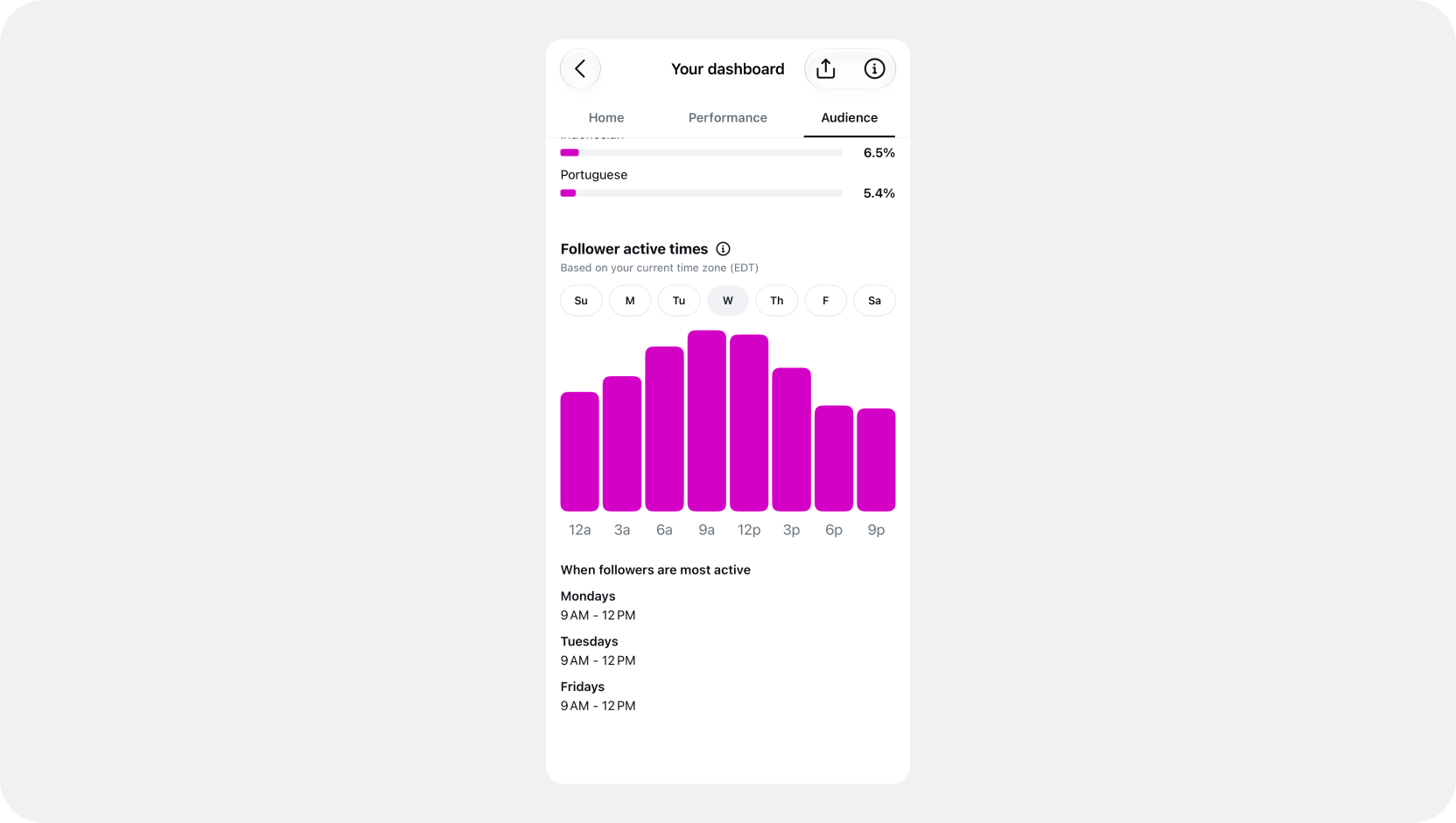
This is real data about your specific audience, not a study average. If most of your followers are active on weekday mornings, that is more useful than any general guideline.
The practical move: find the peak time for a given day, and post about an hour before it. You want your content in the feed right as that wave of activity is building, not after it has already crested.
How much does it actually matter?
Posting time is a marginal factor. It can help a good post reach a few more people at the right moment, but it will not rescue content that does not connect. The bigger levers are topic, hook, and whether the post generates comments.
That said, if you are already posting consistently and want to squeeze a bit more out of each post, timing it to your audience's peak is a low-effort optimization that worth doing.
Setting your posting schedule in BunnyBooster
BunnyBooster lets you define your own preferred posting times for each day of the week. Once you have checked your Instagram insights and know when your audience is most active on Mondays, Thursdays, or Saturdays, you can set those times directly in your schedule by clicking on the Manage times button.
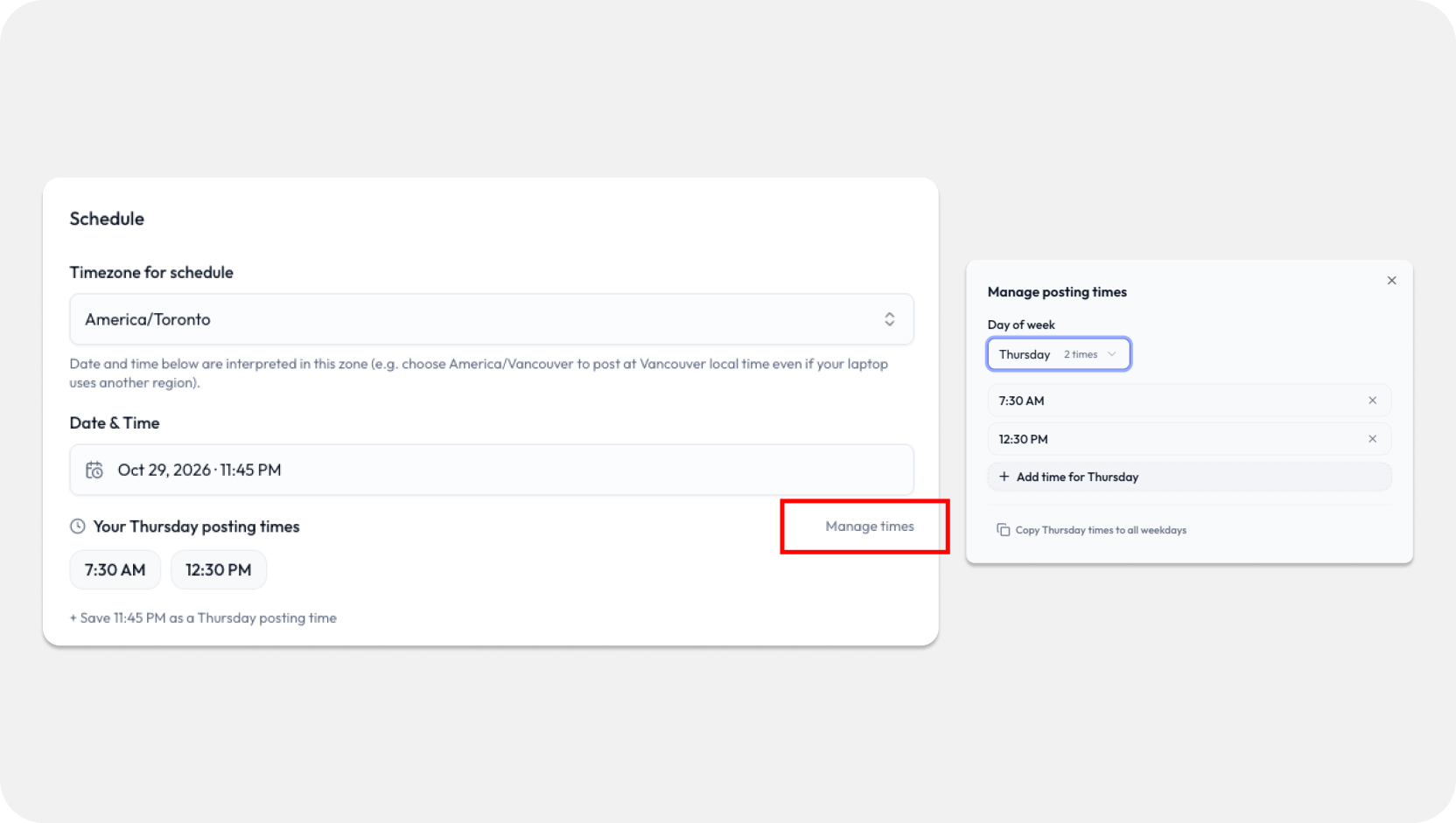
From there, every time you queue a post, those slots are available to pick from. You just select the time that fits your audience and move on.
It is a small thing, but having your schedule already configured means you are always posting at the right moment for your account, not a generic recommendation from a blog.